MS27505 Military Connectors Series Overview
Selecting a Connector for 4K Conference Cameras with Low-Latency Video
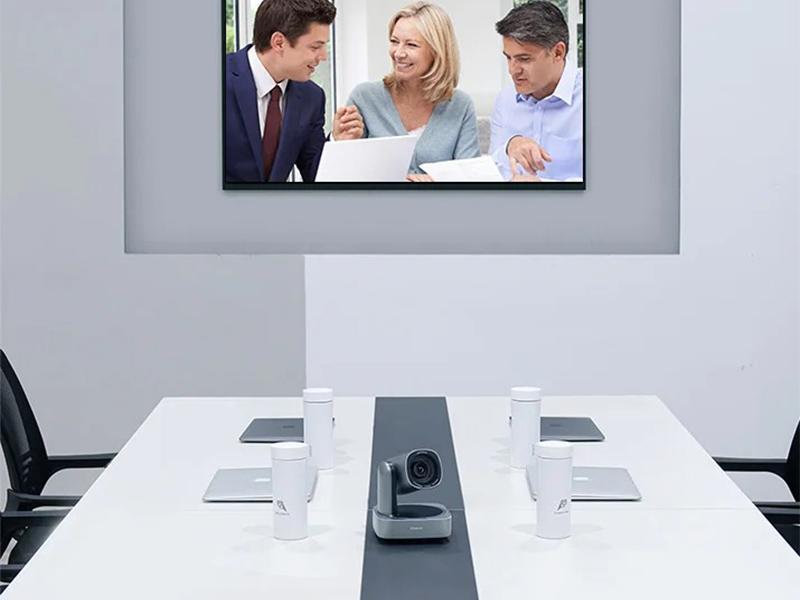
For 4K high-definition cameras in conference systems, the primary decision hinges on bandwidth, latency, and transmission distance. The HDMI 2.1 series connector is a suitable choice for most standard installations, supporting 4K@60Hz video with a transmission rate of 48Gbps and a latency of ≤5ms. This configuration ensures smooth, stutter-free video for conference applications and supports HDR color for enhanced image clarity.
However, for distances exceeding 10 meters—common in large conference rooms over 50 square meters—standard copper HDMI cables may introduce signal attenuation. In such cases, an HDMI optical fiber cable with matching HDMI connectors is required to maintain signal integrity over longer runs.
Key Selection Criteria
-
Bandwidth and Resolution: Verify the connector supports 48Gbps for 4K@60Hz or higher, ensuring compatibility with current and future camera specifications.
-
Latency Requirements: Confirm the ≤5ms latency specification to avoid audio-video sync issues during live presentations.
-
Distance and Cable Type: For runs over 10 meters, plan for HDMI optical fiber cables; for shorter runs, standard HDMI cables suffice.
-
Environmental Fit: Assess the conference room layout to determine if angled or panel-mount connectors are needed for clean installation.
Application Boundaries
HDMI 2.1 connectors are optimized for digital video and audio transmission. They are not suitable for analog signal transmission or for applications requiring ruggedized, waterproof connections. For outdoor or industrial environments, consider alternative connector series designed for harsh conditions.
Parameter Interpretation
The 48Gbps rate is the maximum theoretical bandwidth; actual performance depends on cable quality and length. The ≤5ms latency is measured under ideal conditions; real-world latency may vary slightly with processing equipment. Always test the complete signal chain in your specific setup.
Inquiry Checklist
- What is the exact distance between the camera and the display or switcher?
- Is the installation in a fixed location or does it require frequent reconnection?
- Are there any space constraints that require a specific connector form factor?
- What is the resolution and refresh rate of the camera output?
For related guidance on reducing signal attenuation in video transmission, see how to reduce attenuation when transmitting video signals over long distances. For conference room AV system integration, review RJ45 connectors for smart conference room AV systems.



 Tel: +8619924482730
 Email: info@kmydconnector.com
 MP/WhatsApp: +8619924482730
 Manufacturer Address:Baoan District, Shenzhen City, Guangdong Province,China